Integrating an LLM API into your SaaS is easy. Turning it into a reliable, valuable, and scalable product feature is where most teams struggle.
The difference between a demo and a product is not the model—it’s everything around it:
- UX design
- reliability engineering
- cost control
- safety constraints
- feedback loops
This guide walks through how to take an LLM API and turn it into a real SaaS feature users trust and pay for.
The Core Shift: From “AI Demo” to “Product System”
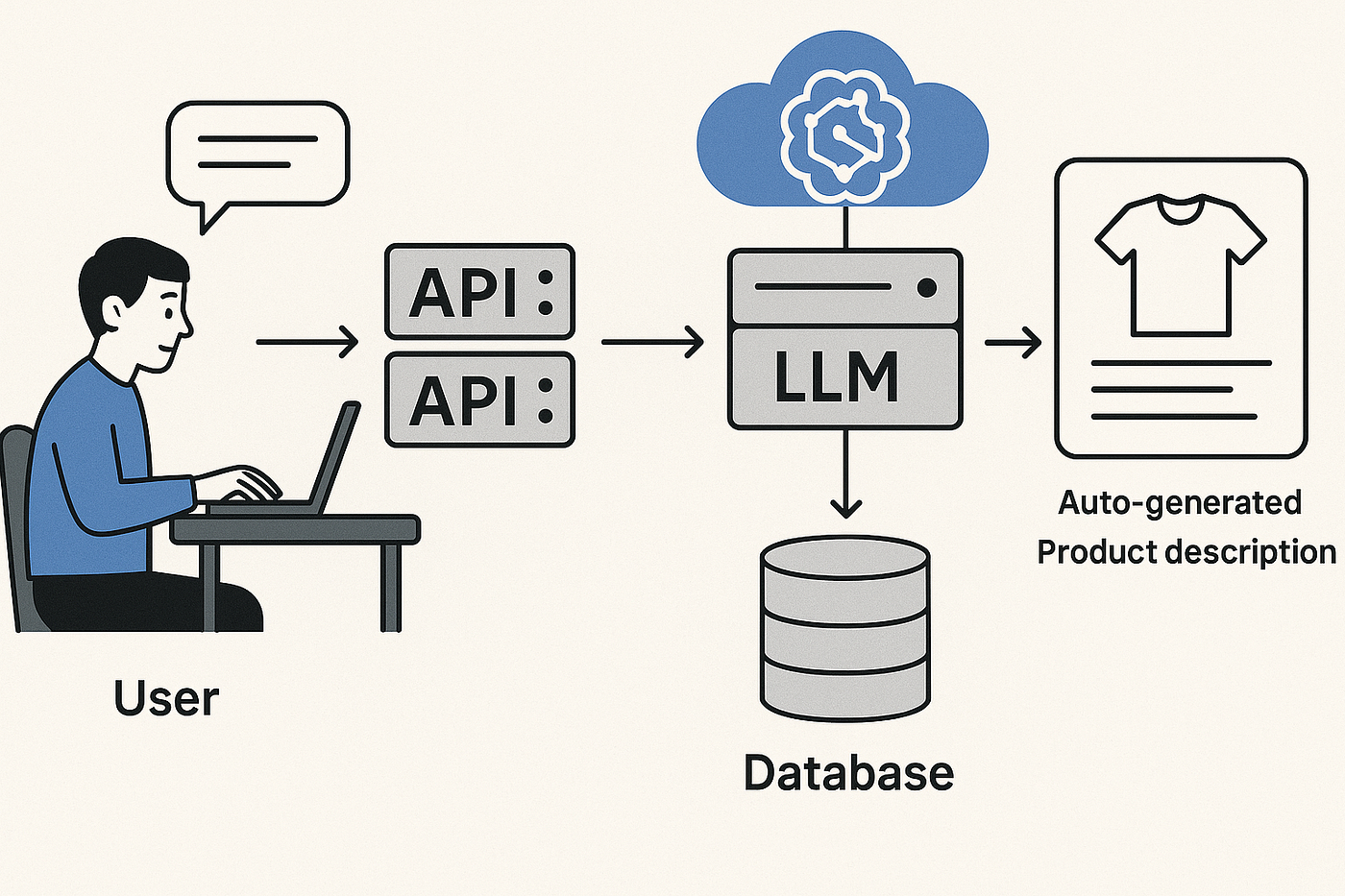
Most LLM prototypes look like this:
User → Prompt → LLM → Response
That’s a demo.
A real product looks like this:
User → UI → Backend orchestration → LLM + tools → validation → storage → feedback loop → response
The key difference:
A product does not trust the model. It controls it.
Step 1: Start With a Narrow, Valuable Use Case
The biggest mistake is building “a general AI assistant.”
Instead, pick a specific job-to-be-done.
Good SaaS LLM features:
- “Summarize customer support tickets”
- “Rewrite marketing copy in brand voice”
- “Extract structured data from documents”
- “Generate SEO meta descriptions”
- “Classify inbound leads”
Bad SaaS LLM features:
- “Chat with AI about anything”
- “General productivity assistant”
Why?
Because narrow features:
- are easier to test
- are easier to evaluate
- deliver clearer ROI
- are easier to monetize
Step 2: Design the Feature Like a Pipeline, Not a Prompt
A production LLM feature is a pipeline:
Input → Preprocessing → LLM → Postprocessing → Output
Each stage matters.
Preprocessing
- clean input
- remove noise
- normalize format
- truncate long text
LLM layer
- structured prompt
- constrained output format
- temperature tuning
Postprocessing
- validation
- formatting
- fallback logic
This is where reliability is built—not in the prompt alone.
Step 3: Wrap the LLM in a Backend Service
Never call the LLM directly from the frontend.
Instead:
Frontend → Backend API → LLM Service → Response
Your backend handles:
- authentication
- rate limiting
- logging
- retries
- prompt management
- versioning
Example (FastAPI-style):
from fastapi import FastAPI

app = FastAPI()

@app.post("/generate-summary")
def generate_summary(data: dict):
    text = data["text"]

    result = call_llm(text)

    return {"summary": result}
This structure gives you control over everything.
Step 4: Force Structured Outputs
If your LLM returns free-form text, your SaaS will eventually break.
Instead, enforce structure.
Example: Ticket classification feature
{
  "category": "billing | bug | feature | other",
  "priority": "low | medium | high",
  "summary": "short description"
}
Why this matters:
- enables automation
- reduces UI bugs
- improves consistency
- allows downstream logic
Use:
- JSON schema validation
- function calling APIs
- strict parsing rules
Step 5: Add a Reliability Layer (Non-Negotiable)
LLMs fail in predictable ways:
- hallucinations
- malformed output
- inconsistent formatting
- irrelevant responses
So you must add a reliability layer.
This layer should:
- validate output
- retry if invalid
- fallback to deterministic logic
- log failures
Example flow:
LLM → Validator → OK? → Yes → return
                    → No → retry / fallback
This is what turns “AI experiment” into “product feature.”
Step 6: Control Cost Early (Or It Will Control You)
LLM costs scale silently.
A small feature can become expensive fast.
Cost control strategies:
1. Token limits
- truncate input
- limit output length
2. Caching
- reuse responses for repeated queries
3. Model routing
- cheap model for simple tasks
- expensive model only when needed
4. Batch processing
- process multiple inputs together
Example routing logic:
if task == "simple":
    use small model
else:
    use large model
This hybrid approach saves significant cost.
Step 7: Add Observability From Day One
If you can’t see what your LLM is doing, you can’t improve it.
Log:
- prompts
- responses
- latency
- token usage
- user feedback
- failure cases
Why this matters:
You will inevitably need to answer:
“Why did the model output this?”
Without logs, you’re guessing.
Step 8: Build a Feedback Loop
A SaaS feature improves over time through user feedback.
Add simple mechanisms:
- 👍 / 👎 buttons
- “report bad output”
- edit suggestions
Then use this data to:
- improve prompts
- adjust routing
- fine-tune models (later stage)
Step 9: Design UX Around Uncertainty
Unlike traditional software, LLM outputs are not guaranteed.
So your UI must reflect that.
Good UX patterns:
- “Generate suggestions” instead of final answers
- editable outputs
- confidence indicators (optional)
- multiple variants (“regenerate” option)
Bad UX patterns:
- treating AI output as final truth
- no retry option
- no editing capability
Step 10: Use Feature Flags for Safe Rollouts
Never release LLM features globally without control.
Use feature flags:
- enable per user group
- disable instantly if issues occur
- A/B test prompts or models
This allows safe experimentation.
Reference Architecture for a SaaS LLM Feature
Frontend
   ↓
API Gateway
   ↓
LLM Service Layer
   ├── Prompt Manager
   ├── Model Router
   ├── Cache
   ├── Rate Limiter
   ↓
Validation Layer
   ↓
Business Logic
   ↓
Database + Logging
   ↓
Response
This structure ensures:
- stability
- scalability
- maintainability
Common Mistakes Teams Make
1. Treating prompts like code
Prompts are not stable logic. They need versioning and testing.
2. No validation layer
One bad response can break workflows.
3. Overusing expensive models
Not every request needs a top-tier model.
4. Ignoring UX implications
Users need control over AI output.
5. Shipping too fast without observability
You can’t fix what you can’t measure.
Real-World Example: AI Email Writer SaaS
Let’s break it down:
Feature:
“Generate professional email replies”
Pipeline:
- Input: customer email
- Preprocess: remove signatures, noise
- LLM: generate reply in structured format
- Validate: check tone, length, structure
- Postprocess: format email
- Output: editable draft
Add-ons:
- tone selector (formal, friendly, concise)
- regenerate button
- history tracking
This becomes a real SaaS feature, not a demo.
Final Thoughts
Turning an LLM API into a SaaS feature is not about model selection. It’s about engineering discipline around a probabilistic system.
The winning formula is:
Controlled input + structured output + validation + observability + UX design
If you build those layers correctly, the LLM becomes a powerful component—not a fragile dependency.